Documentation
Shaka is a skill for AI coding agents. Give your agent a task and get a pull request (PR) with checks and review results. By default, you decide whether it merges.
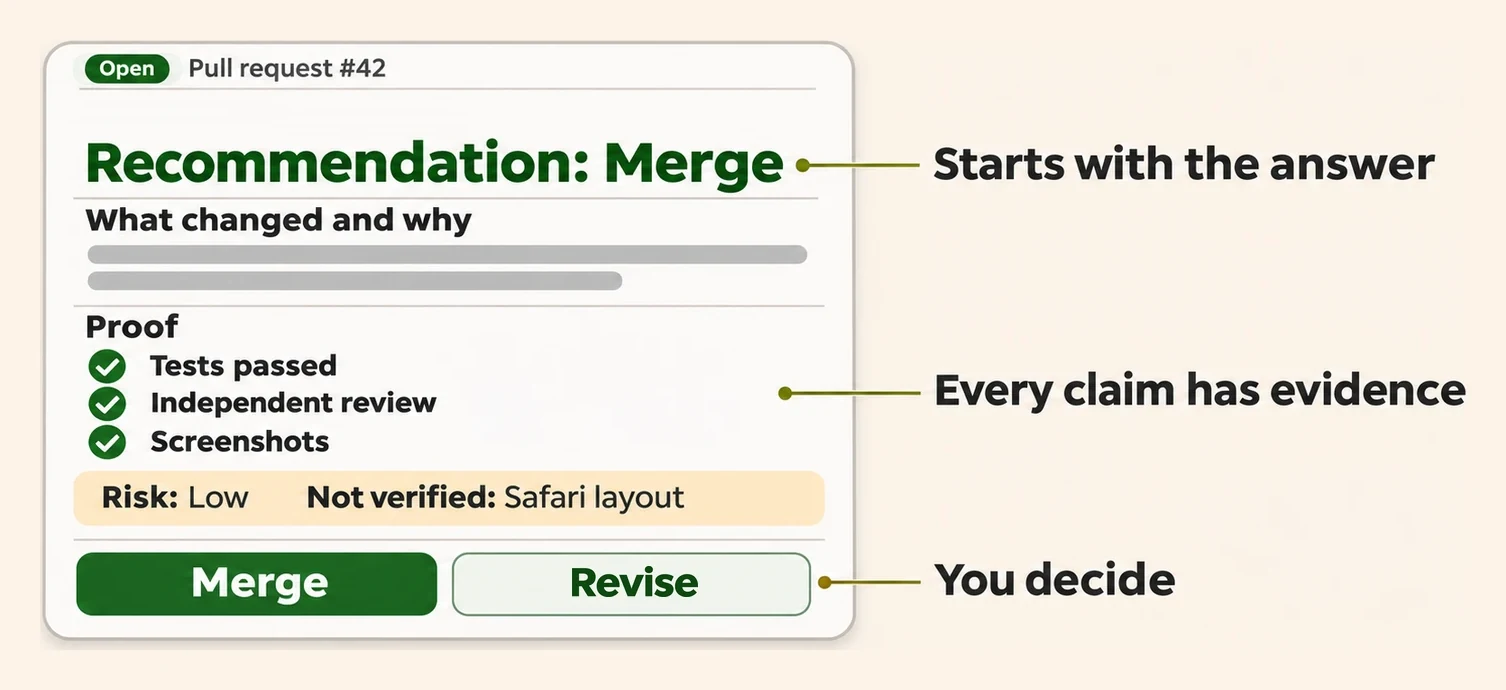
Use the PR's evidence to decide what to do next and improve the process through regular retrospectives.
Shaka is mostly Ruby. About 84% of the installed skill's lines are tested Ruby code that your agent runs without reading. It starts each task with about 12,400 words of instructions, loads other procedures only when needed, and gets the same checks every time. See the numbers.
Ask your coding agent to install Shaka:
Install Shaka from https://github.com/shakacode/shaka
Then open your project in the agent and give Shaka a small task. For example:
/shaka Fix search when the query contains an apostrophe
Replace the example with your own task or an issue link. In Codex, use $shaka
instead of /shaka. For Pi, load the installed skill.
Start here covers setup and checking your installation. If you need a practice project, follow Shaka in pictures. Watch the demo.
Find help
Ask your agent, or choose a guide below:
Explain what I need to check before merging this PR: <PR link>
| I want to… | Guide |
|---|---|
| Plan work, review an existing PR, or give feedback | Working with Shaka |
| Choose who merges | Choose a merge policy |
| Review the result and learn from completed PRs | Review the PR and improve the process |
| Choose reviewers or change settings | Choose your settings |
| Set up Shaka for my team | Configure a repository |
| Fix a setup problem or resume unfinished work | FAQ · What to expect from Shaka |
| Understand token use, cost, or timing | Usage and cost · PR timings |
More guides
- Coding agents, manual installation, updates, and forks
- Settings reference, workflow and safeguards, and writing preferences
- Releases after merge
- Control towers and repository catalog
- How Shaka is built, PR trials, canary runs, and Contributing
- Articles about measured experiments with AI review